Diff 视图

Documentation Index
Fetch the complete documentation index at: https://docs.qoder.com/llms.txt
Use this file to discover all available pages before exploring further.
Diff 视图
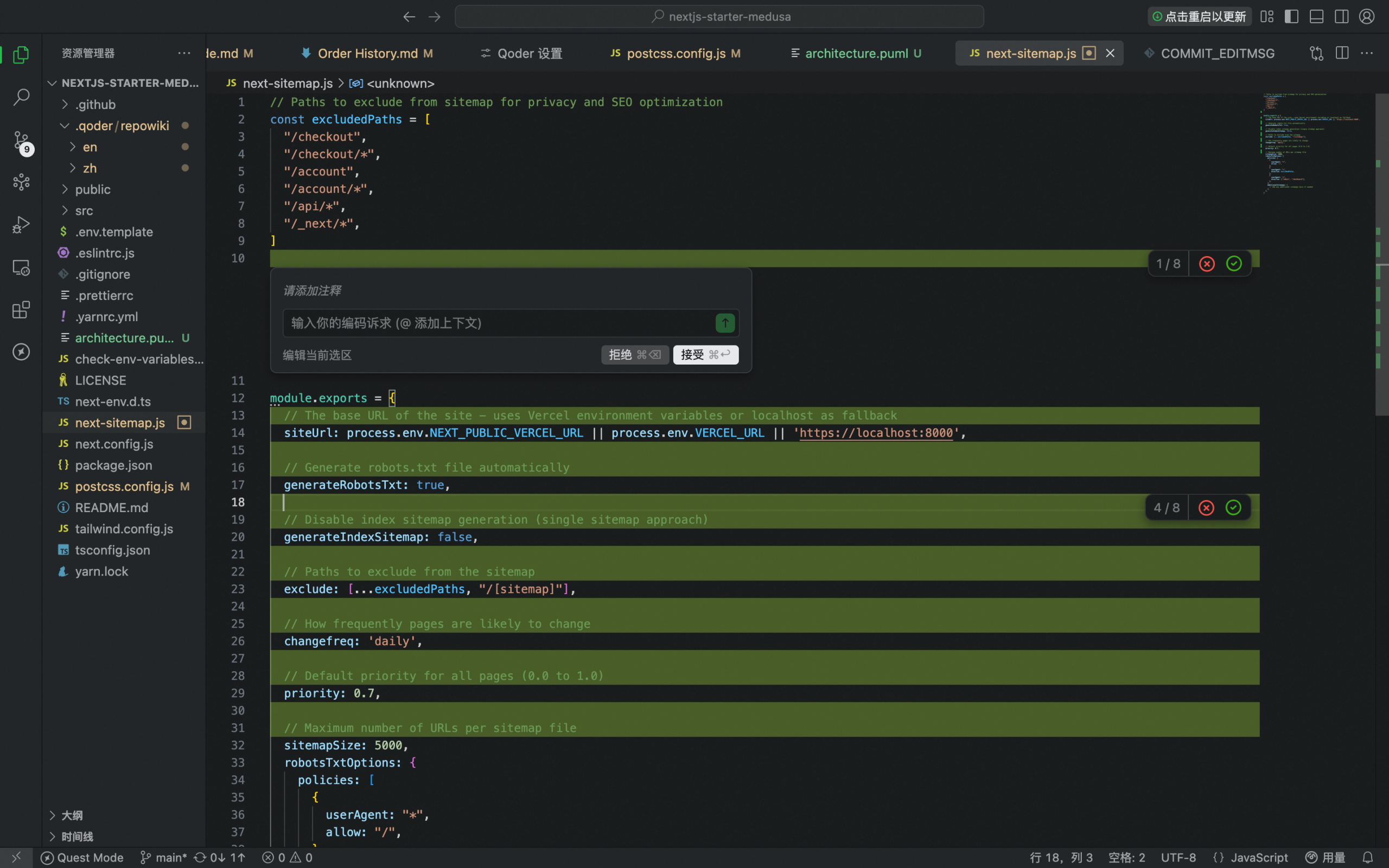
每当 AI 提出代码修改建议——无论是通过智能会话还是行间会话,代码变更都会以清晰的 diff 视图呈现,便于你在应用前审查。
这确保你对每次修改都拥有完整的可见性与控制权。
## **Diff 预览格式**
预览使用标准 diff 标记展示变更:
- 新增行以绿色显示
- 删除行以红色显示
- 未更改的周边代码以中性色显示,保留上下文,帮助你理解变更范围
这种行内 diff 格式使你能够:
- 精确查看将会发生的变更
- 理解变更产生的原因
- 评估其如何融入现有代码库
帮助你更有信心的接受、编辑或拒绝每个变更。
示例:
“`diff theme={null}
function validate(user) {
-
return user.id !== undefined;
-
return user.id && user.status === ‘active’; }
“`
## **审查模式**
Agent 完成任务后,系统会提示你在应用更改之前先审查所有改动。这将为你提供整个代码库范围内修改的全面概览。
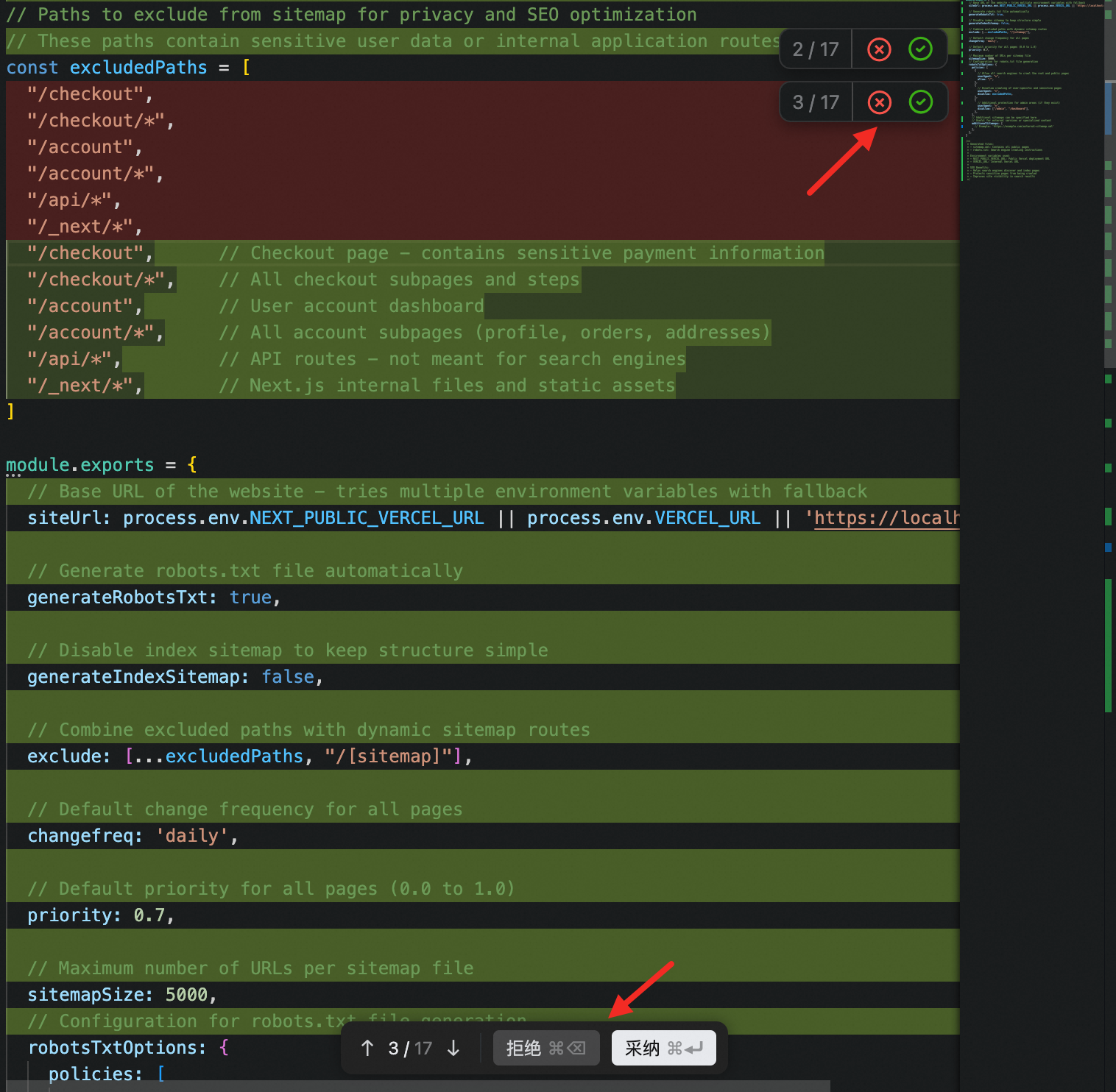
### **变更级管理**
在每个变更的右上角:
接受或拒绝——批准或丢弃该更改。
### **文件级管理**
在文件底部:
- 拒绝 或 接受 ——丢弃或应用当前文件中的所有建议修改
- 在文件之间导航——在包含待处理更改的文件间切换
### **处理多文件更改**
当更改涉及多个文件时,受影响的文件名会显示在 Chat 面板上方。
你可以:
- 通过 接受 或 拒绝,在所有列出的文件中统一丢弃或应用变更
- 点击某个文件名,直接跳转到该文件并显示 diff
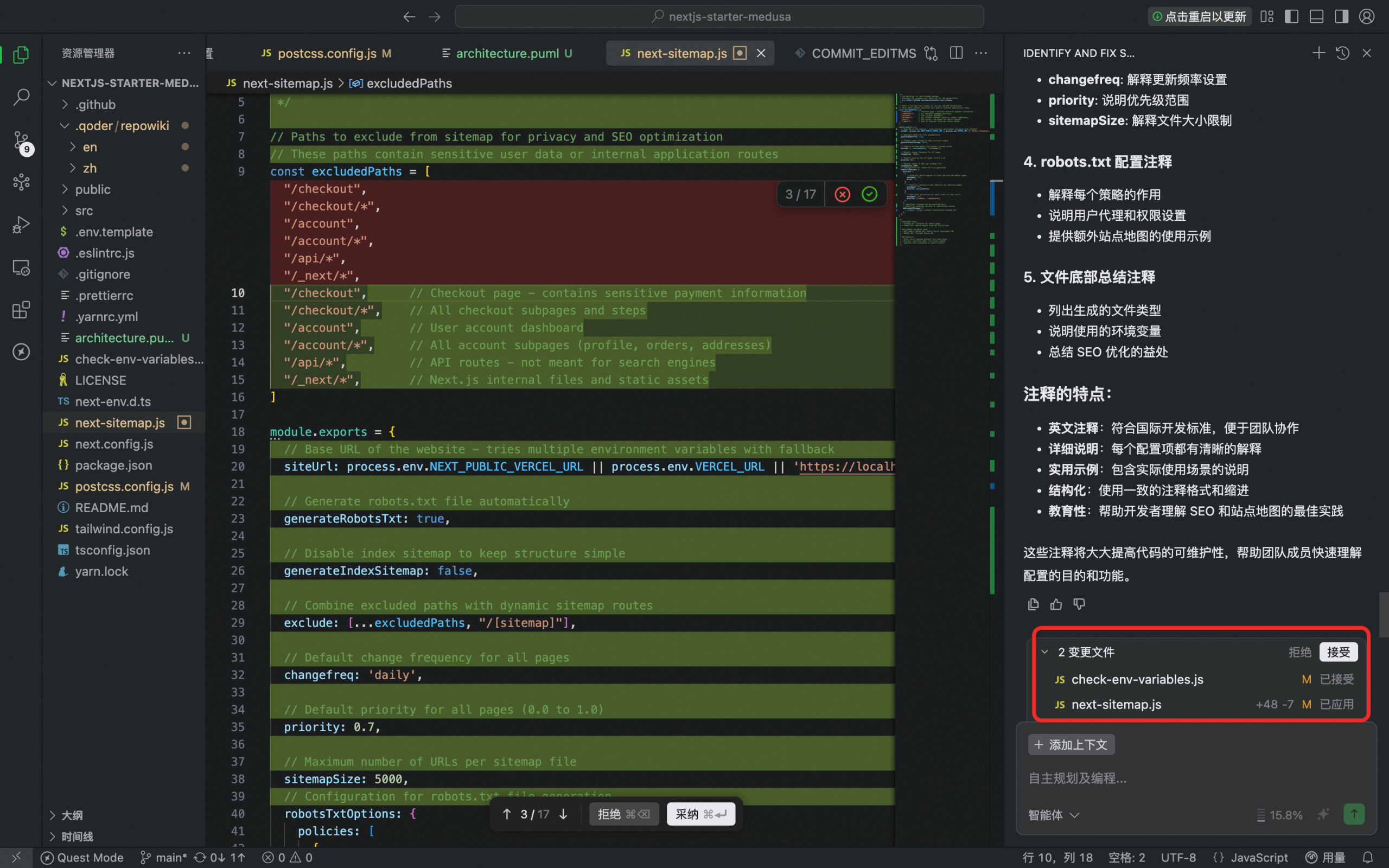
* 将鼠标悬停在某个文件名上,可仅对该文件执行 接受 或 拒绝
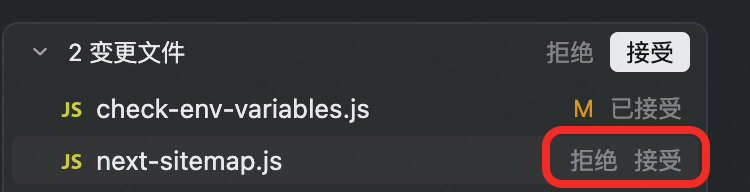
这种多文件导航可让你在保持完全掌控的同时,轻松管理复杂的跨文件重构。

Allen
暂无介绍....
上一篇
Ask 模式
下一篇